
PSLE 华文模拟口试练习
Help your child to prepare for the PSLE Chinese Oral Exam with confidence.
Our interactive app simulates examination conditions and provides immediate feedback, giving your child the perfect environment to practice Chinese Oral Conversation right from your home.
This application was originally designed via vibe coding in Google AI Studio as a personal study tool for the creator. It is now being shared publicly out of goodwill. The individual user only pays to Google AI Studio for using its personal API Key. Based on normal usage, average credit costs for completing ONE session including the interactive feedback with the written report is estimated around SGD $0.30 (as of July 2026).
* Disclaimer: This application is powered by the Google Gemini API. AI-generated outputs can contain errors. Please independently verify all critical feedback and analysis.
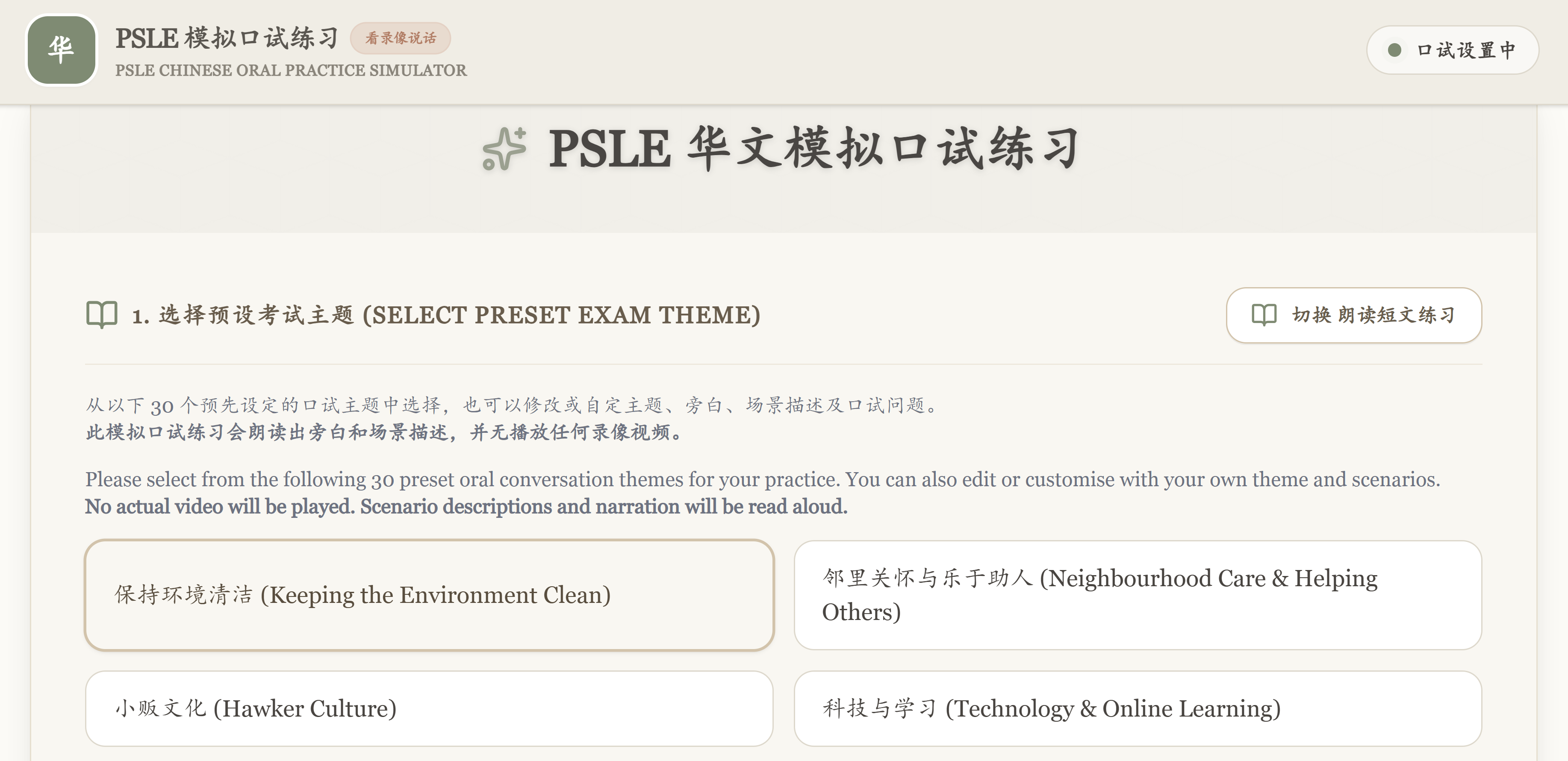
30 Preset Oral Conversation Themes
三十个预设口试会话题目
Choose from 30 oral conversation themes with preset narrations and scenario descriptions
No actual video will be played. Scenario descriptions and narration will be read aloud.
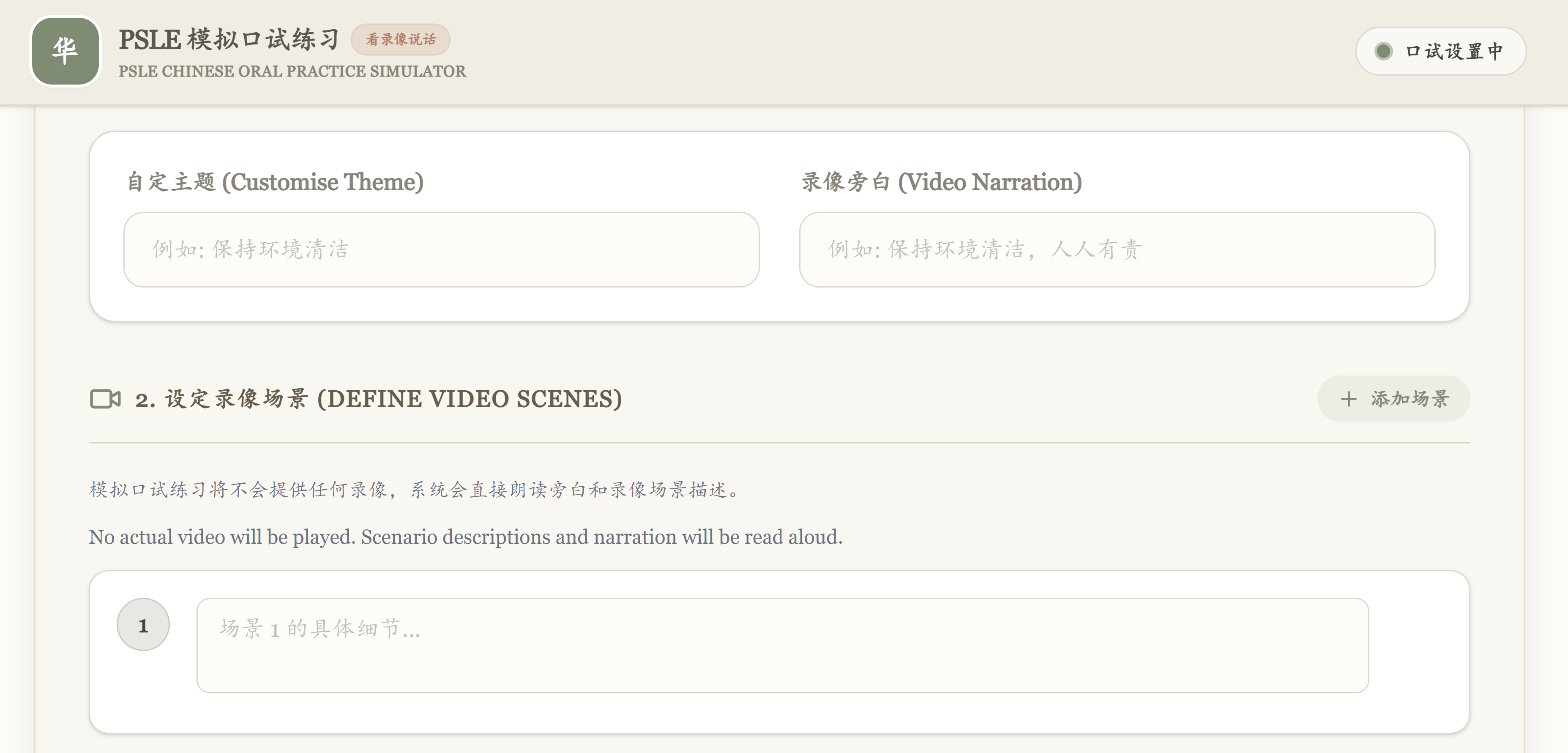
Customise Your Own Themes & Questions
自定口试题目和问题
Have a specific theme and scenarios you want your child to practise on? You can modify or enter your own customised themes, descriptions or even specify the examiner questions.
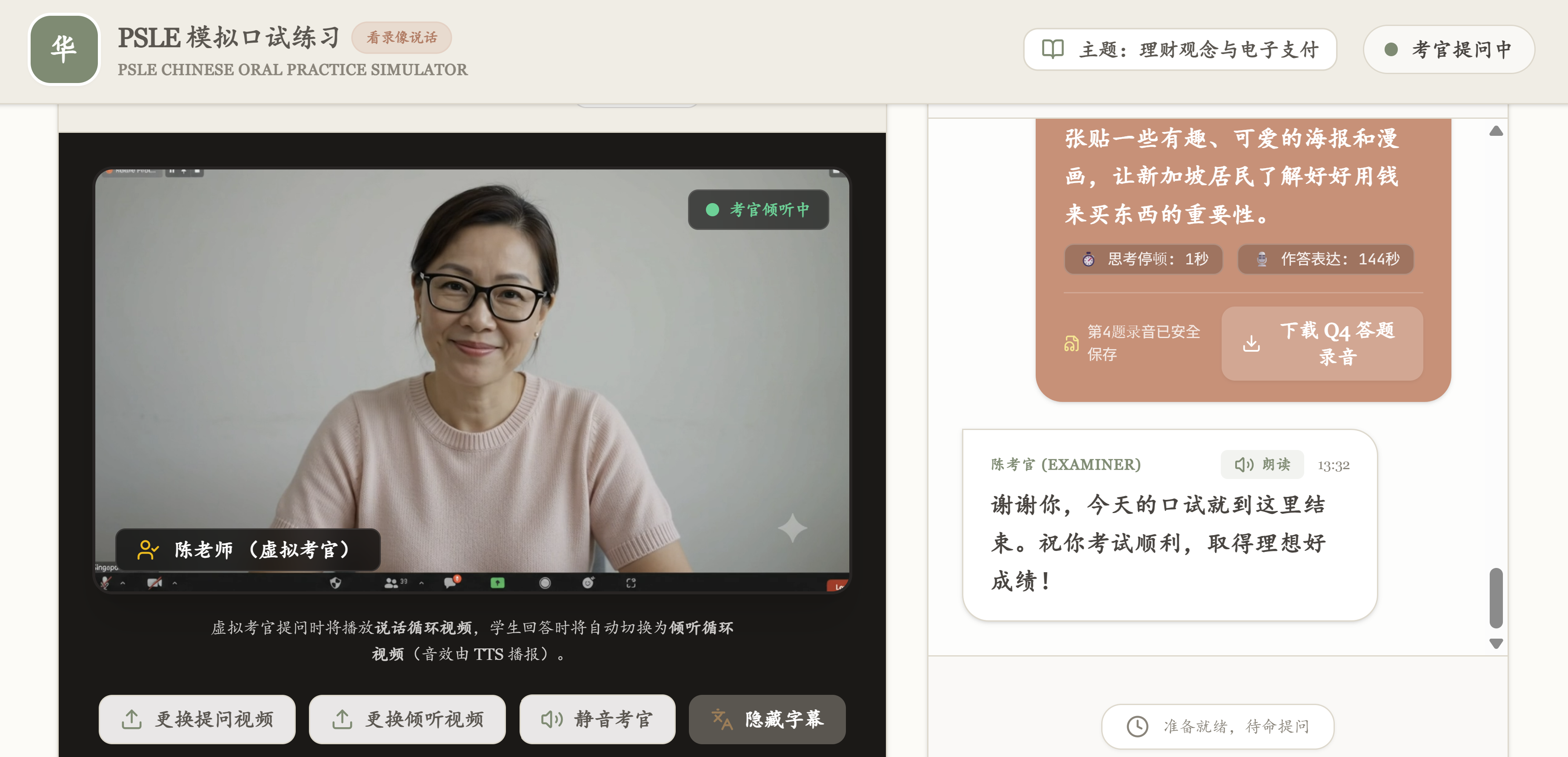
AI Simulated Examiner View | Download Audio Files
虚拟考官模式 | 下载学生回答录音
Our AI simulated examiner view mimics exam conditions, helping your child build confidence and reduce actual exam-day anxiety. At the end of the session, you can download the audio recordings of your child's answers for thorough review.
A default female examiner view will be used. You can change your system Text-to-speech (TTS) voice setting if needed. If the microphone function is not used, you can also type in your child's answers for submission and analysis.
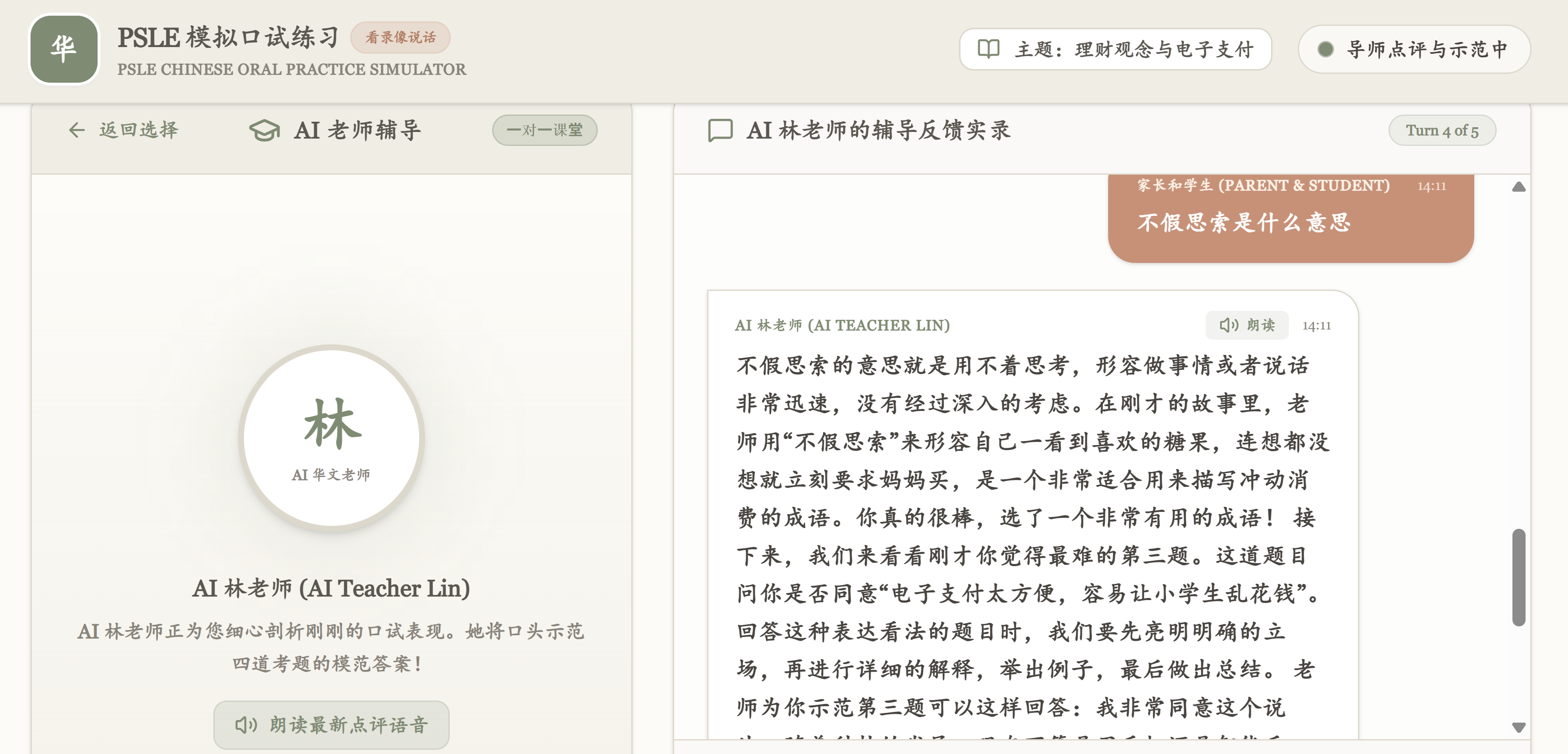
Interactive Feedback Session with Customised Model Answer
互动式反馈与模范答案
AI Teacher Lin will give customised feedback and provide model answers based on your child's performance, interacting in real time so that you can guide your child to immediately practise those newly learnt phrases. You will also be able to download the transcript of this feedback session for further practice.
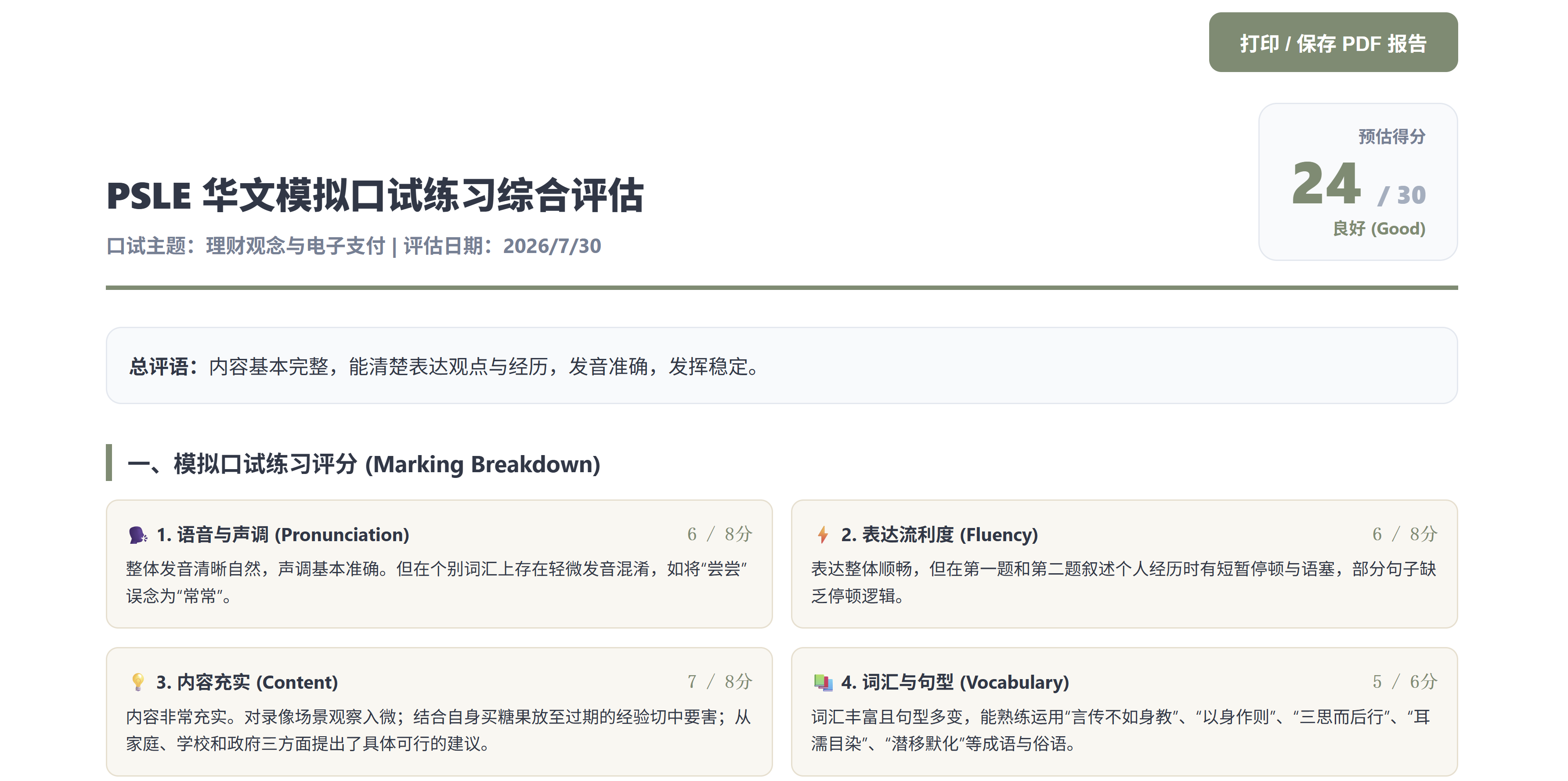
Detailed Performance Assessment
详细综合评估
Dont't have time for a live feedback session? You can also generate a detailed performance assessment on your child's practice session, providing you with highlights of your child's strengths & areas for improvement. You may also download your child's answer transcript for further analysis on your preferred AI platform.
The performance assessment will also provide an estimated score based on the independent grading rubric of our app for practice reference only and does not reflect official PSLE scoring standards.
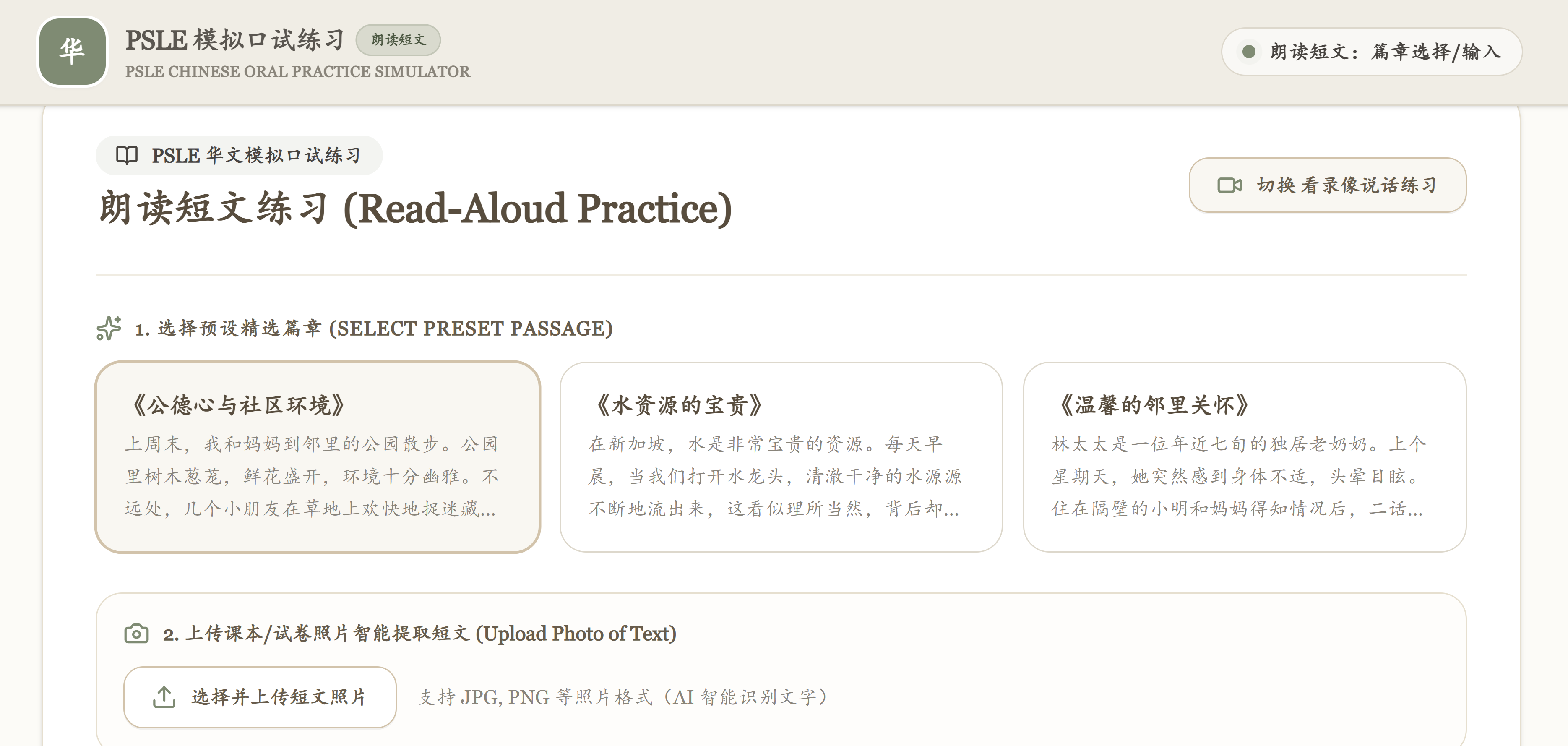
Read-Aloud Practice | Customise Passage | Upload Screenshot Function
短文朗读练习 | 支持照片上载自定短文
Newly Added! Your child can practice the read-aloud segment with an in-built timer at the preparation stage. You can also customise the reading passage, or even just upload a photo of the text!
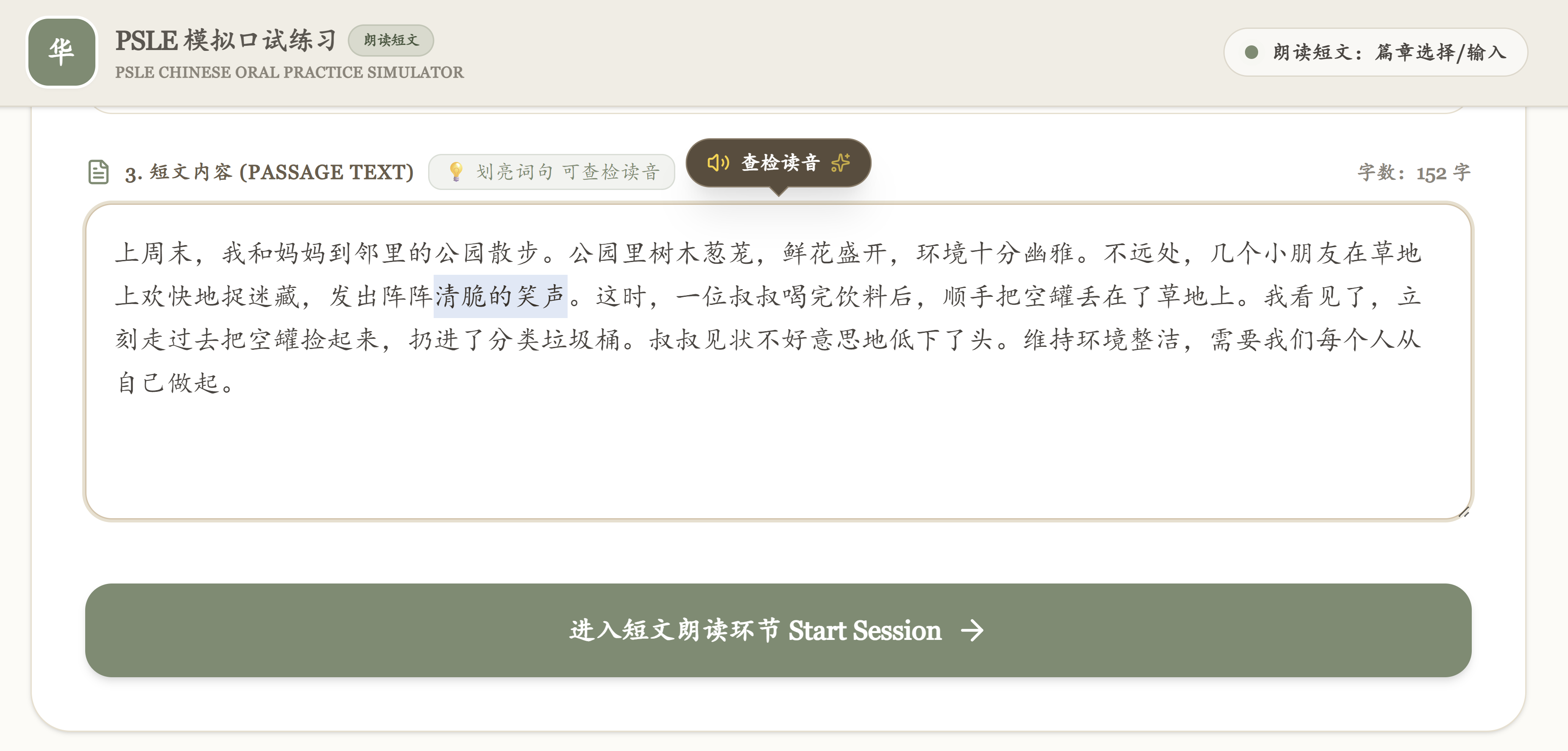
Pronunciation Checker
查检读音功能
Not sure how to read a word? You can highlight the unfamiliar word in the passage to check for its correct pronunciation.
This feature is useful for uploading passages for Listening Comprehension practice too!
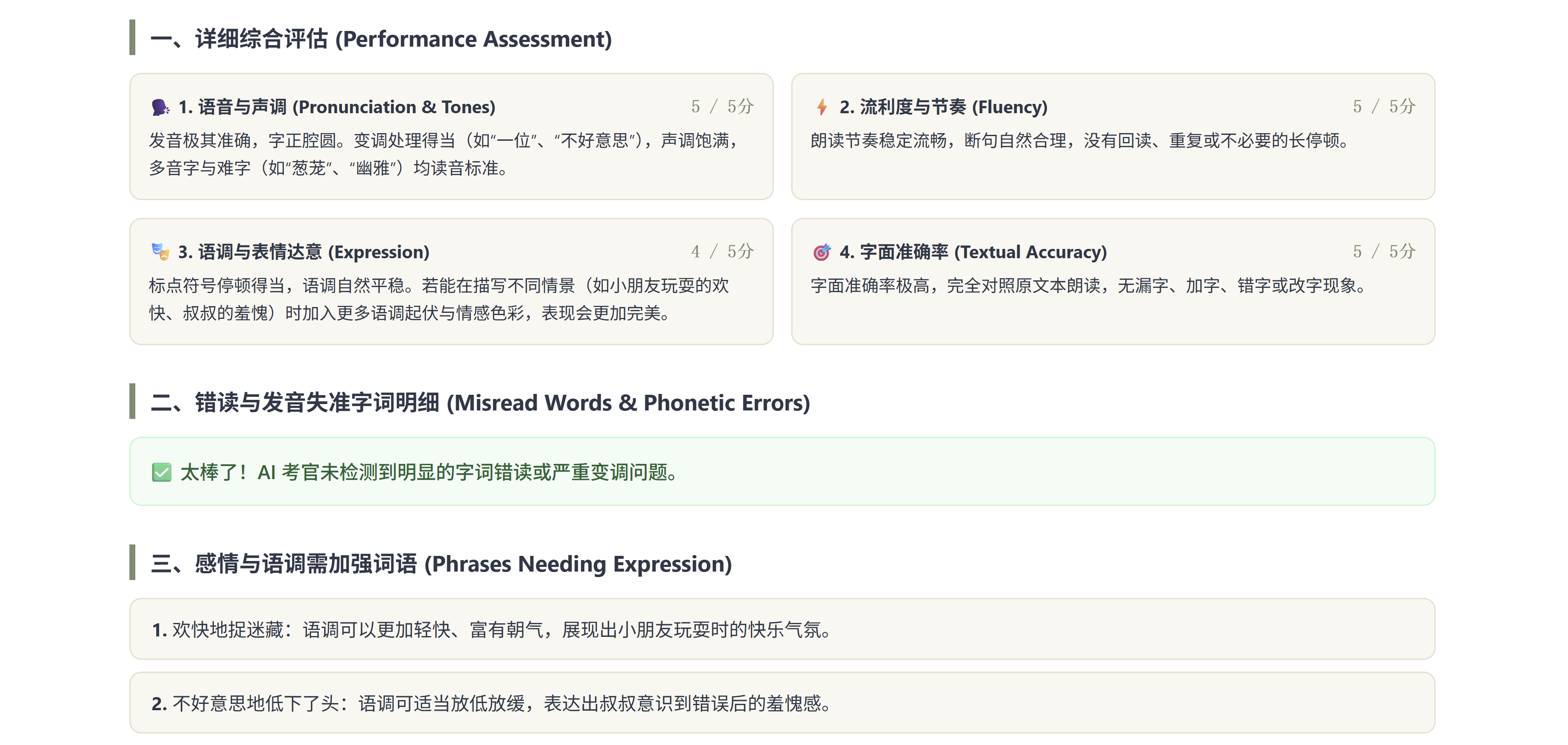
Highlights of Strengths and Mispronunciations
短文朗读综合评估
A detailed performance assessment on your child's read-aloud practice session will be generated, providing you with highlights of your child's strengths & areas for improvement. Mispronunciations and specific phrases that need more expressive reading will be explained.
The performance assessment will also provide an estimated score based on the independent grading rubric of our app for practice reference only and does not reflect official PSLE scoring standards.
As featured in "Kaleidoscope of the Little Red Dot" podcast: Tune in for more details!
How to Use
使用指南
-
Create a Google Gemini API Key (Required):
You can create your
personal Gemini API Keyby logging into Google AI Studio.You can input a random number as your API Key if you only want to explore the user interface without accessing the AI features.
Due to the use of AI to analyse the submitted answers, using a Default Gemini API Key from the free tier may face usage limits during analysis, leading to failure in generating the customised feedback and written reports. In addition, Google's Free Tier API may log and human-review prompts and responses for product improvement. To ensure complete privacy for your child's voice data and experience the full features of the app, it is strongly recommended to use a Paid Tier key (Pay-per-request) where Google does not retain or review your data. You may also turn off the auto-reload function of your Google Cloud credits to ensure that no accidental overspending may incur. Please monitor your Google Cloud console. You are fully responsible for any charges on your account. Please note that surges in API requests to Gemini may also cause server time-out.Average credit costs for completing ONE session including the interactive feedback with the written report is estimated around SGD $0.30 (as of July 2026).
-
Regarding your API Key:
Your
personal Gemini API Keywill be stored locally in your browser cache.There is also a [Clear API Key] button at the footer of the App whenever you want to clear the stored API Key data. It is recommended to clear your API Key information from your browser when you have finished using the app, especially if you are using a shared device. -
Privacy Concerns with Google Gemini:
According to Gemini API Additional Terms of Service,
"When you use Paid Services, including, for example, the paid quota of the Gemini API, Google doesn't use your prompts (including associated system instructions, cached content, and files such as images, videos, or documents) or responses to improve our products..."
- Read Our Privacy Policy
For the best experience, please use this web app on a computer.
Terms of Use and Disclaimer
This application was developed by an independent creator using AI-assisted generation ("vibe coding") for personal utility, and the project files are hosted publicly without charge. Because the creator is a non-professional developer, the application is provided strictly on a strictly on an "as-is", use-at-your-own-risk basis.
Users are advised to note the following conditions prior to initializing the application:
- Parental Supervision: This application is designed as a parent-facilitated practice tool. A parent or guardian must be present to initiate the session, manage the API connection, and review the AI-generated feedback with the student.
- API Billing and Costs: All financial responsibilities associated with the generation of Google AI Studio API keys rest solely with the individual user. All API quotas, rate limits, and billing setups (including usage tiers and spend caps) are managed entirely through the user's own Google AI Studio account. Please refer to Google AI Studio's official documentation for managing your API keys and configuring monthly spend caps to prevent unexpected charges. The creator maintains no access to user accounts, billing profiles, or usage data, and cannot be held responsible for unexpected charges or quota overruns.
- Technical Support: This software is shared as a completed project. No ongoing technical support, custom bug fixes, or routine updates are provided.
- Output Accuracy: Due to the unpredictable nature of Large Language Models, the accuracy, appropriateness, and completeness of the generated score, feedback and written reports cannot be guaranteed.
- Independent Tool: This application is an independent educational tool and is NOT affiliated with, endorsed by, or sponsored by the Ministry of Education (MOE) or the Singapore Examinations and Assessment Board (SEAB).
LEGAL DISCLAIMER & LIMITATION OF LIABILITY
THIS SOFTWARE IS PROVIDED "AS IS", WITHOUT WARRANTY OF ANY KIND, EXPRESS OR IMPLIED, INCLUDING BUT NOT LIMITED TO THE WARRANTIES OF MERCHANTABILITY, FITNESS FOR A PARTICULAR PURPOSE, AND NONINFRINGEMENT. IN NO EVENT SHALL THE AUTHOR OR CREATOR BE LIABLE FOR ANY CLAIM, DAMAGES, OR OTHER LIABILITY, WHETHER IN AN ACTION OF CONTRACT, TORT, OR OTHERWISE, ARISING FROM, OUT OF OR IN CONNECTION WITH THE SOFTWARE OR THE USE OR OTHER DEALINGS IN THE SOFTWARE.
Latest App Update: 5 Aug 2026
* Disclaimer: This application is powered by the Google Gemini API. AI-generated outputs can contain errors. Please independently verify all critical feedback and analysis.
* 免责声明: 本应用由 Google Gemini API 提供技术支持。人工智能生成的输出可能会存在错误,请务必自行核实所有重要的反馈与分析信息。